

Utilities
Discord Stream Alerts Logs
Documentation for Discord Alerts Logs
General Operation
- The action receives the trigger
- The
eventSourcevariable is evaluated to determine from which platform the trigger was fired. - The switch adapts the value of the
contentargument according to the trigger, or the action stops if the trigger is not recognised and an error log is sent to Streamer Bot. - The viewer's profile picture is retrieved and stored in the
profilePicargument. - Streamer Bot sends the message via the
Discord Basic Webhookaction with the username and profile picture of the viewer who triggered the action.
Installation and Configuration
Configure your Discord webhook
- From your Discord server navigate to Server Settings > Integrations > Webhooks.
- Click on New webhook and a new webhook will appear in your list.
- You will need the URL of your webhook for the rest of the configuration.
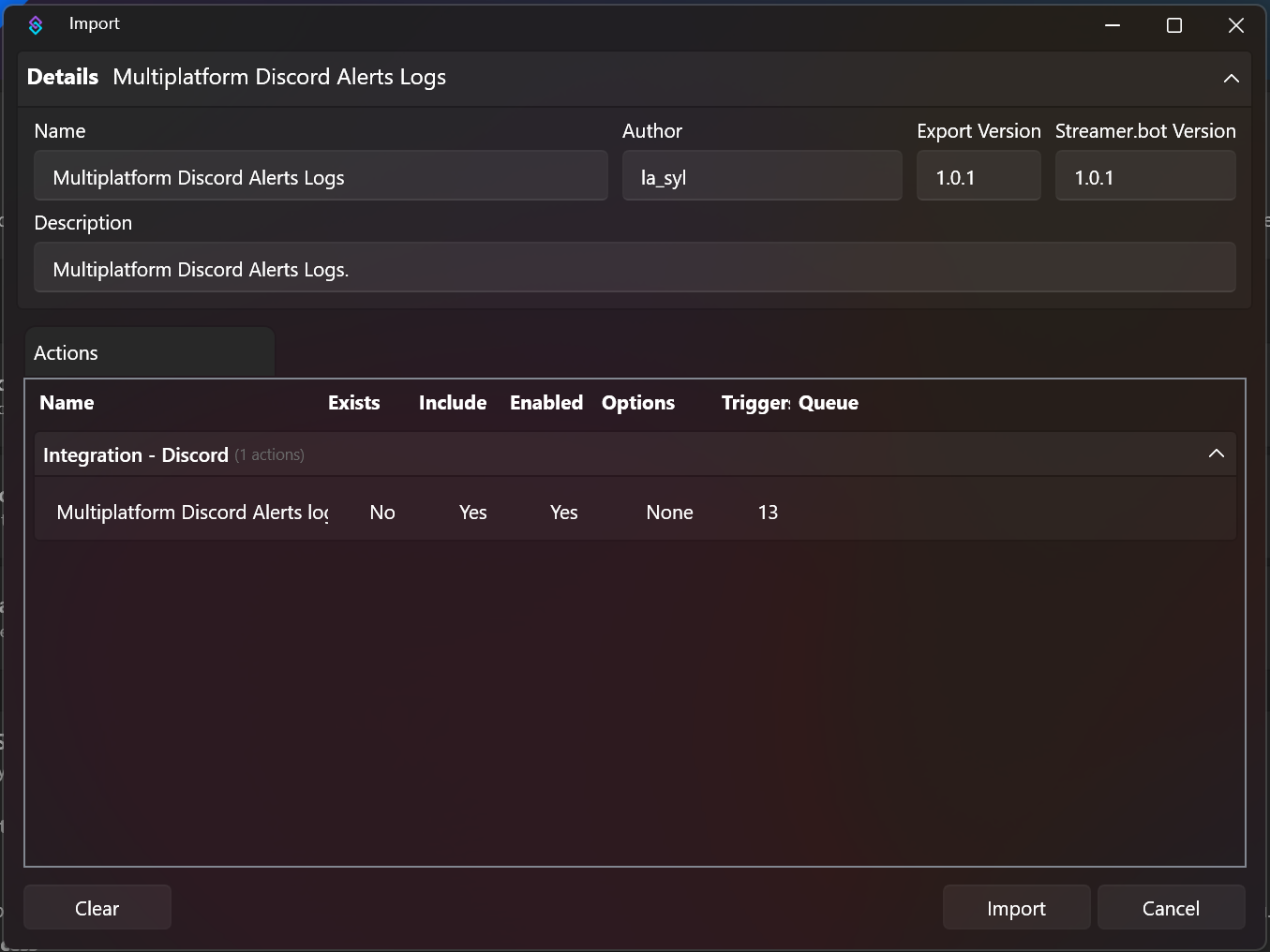
Import the actions into Streamer Bot.
Click on import and drag the file into the window.
Modify the content of sent messages
- Expand the first switch
- Under each case, expand the second switch
- Adapt the
contentargument for each received trigger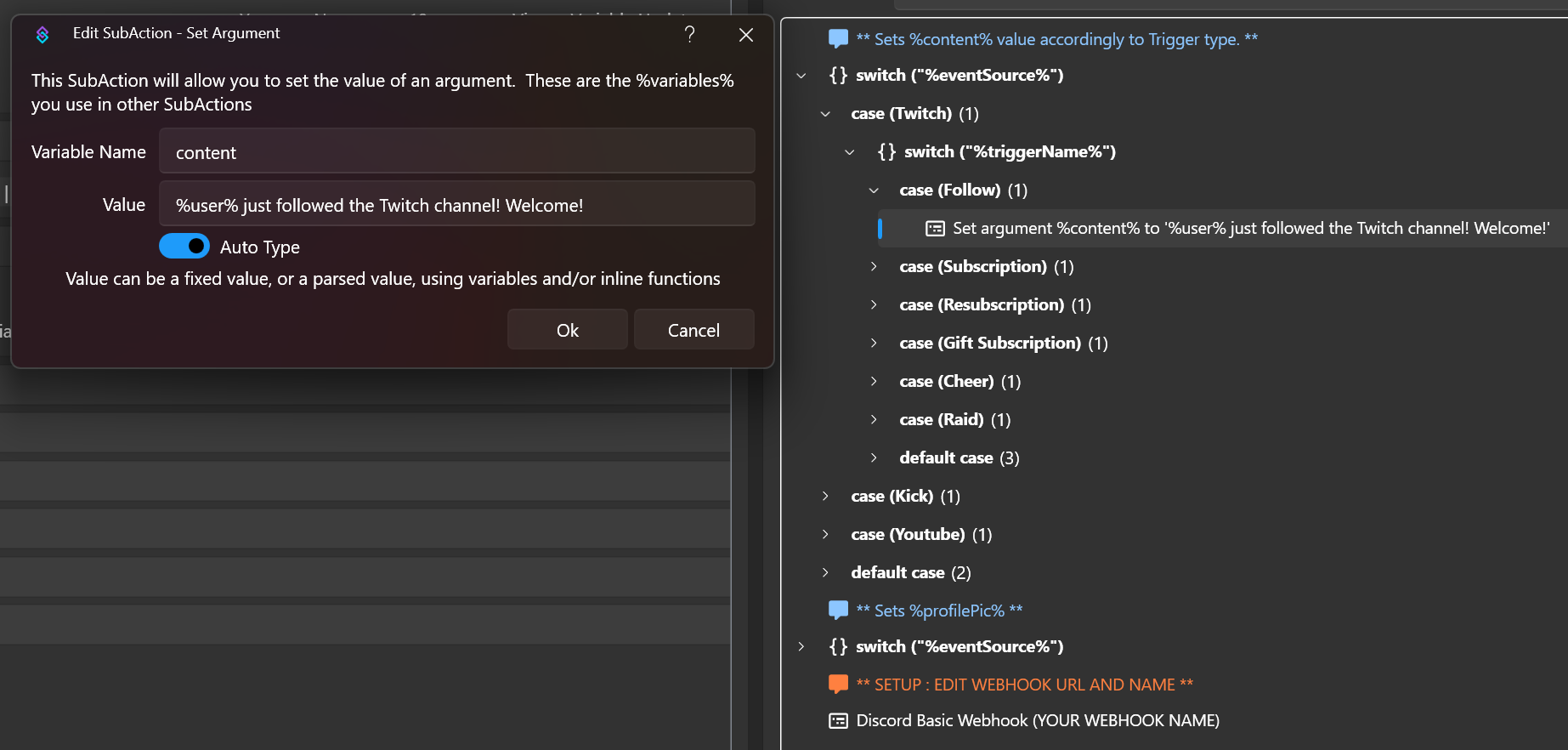
You can add or remove as many triggers as you want in this action.
Modify webhook information
Double-click on the Discord Basic Webhook sub-action and
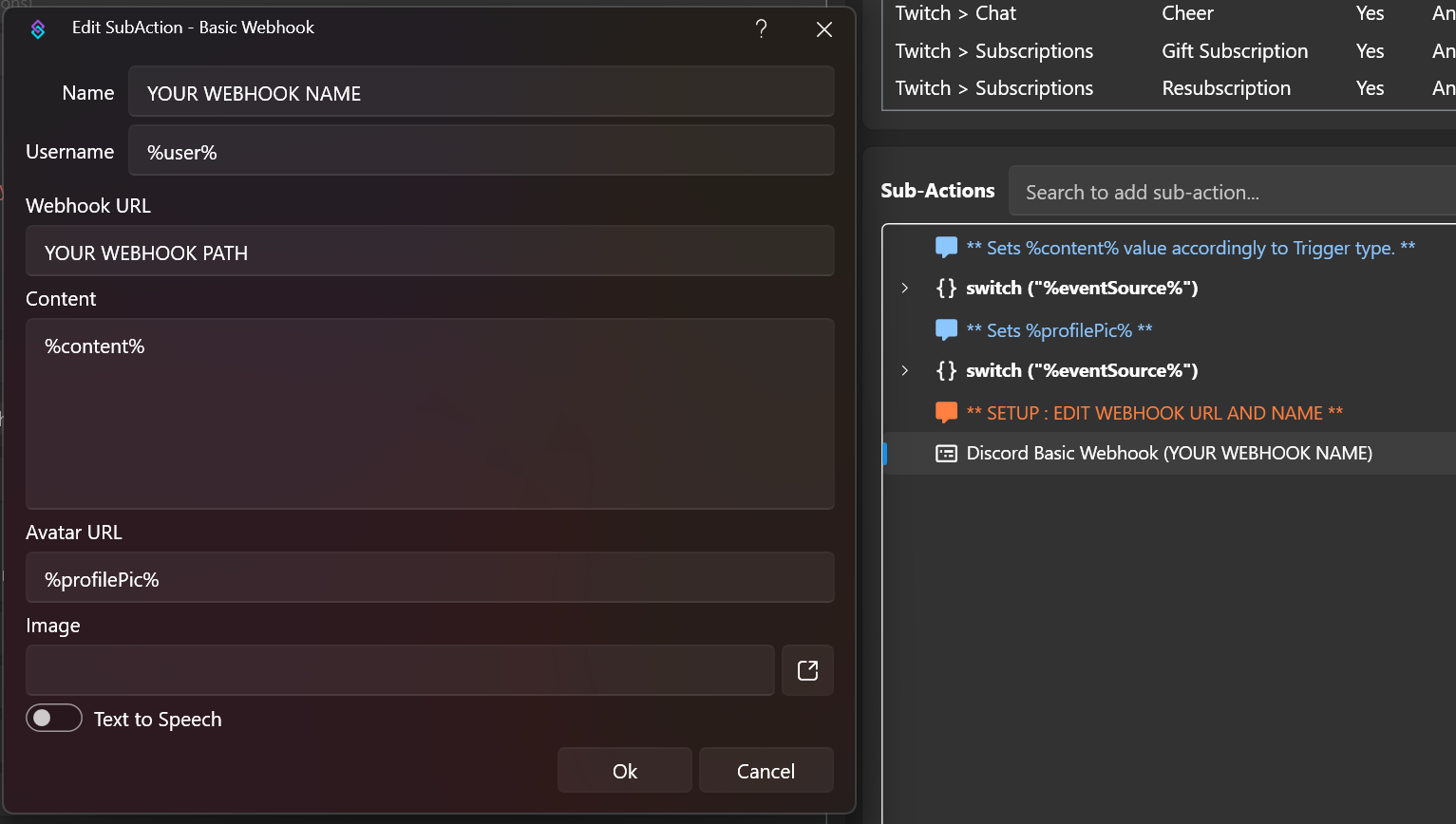
| Field to edit | Description |
|---|---|
| Name | The name you wish to give to your webhook |
| Webhook URL | The webhook URL copied from Discord |
The variables available for each event are listed on the Streamer.bot website.