

End Credits
Description
An end-of-stream credits widget that automatically scrolls with all stream contributors (moderators, follows, subs, cheers, raids, etc.).
It is built in a simple HTML page, with HTML, CSS and vanilla JS.
Installation and Configuration
Configure your credits and groups in streamer bot
Credits are a native function of streamer bot. The widget handles receiving and displaying the information.
Consult the official documentation of streamer bot directly to learn how to configure your credits.
Enable the streamer bot WebSocket server
This step is crucial for streamer bot to communicate with the widget and send information recorded during the stream.
Configure the widget
Open the widget page with the code editor of your choice. Each editable section is commented to be easily found. Details are in the customisation section below.
Add a new browser source in OBS
- Tick the
local filebox - Navigate to the .html file
- Set the height and width as you wish according to your overlay dimensions.
To use the credits, simply enable the source in OBS. To refresh the credits you can use the "refresh browser source" button from the source properties, or disable then re-enable the source.
Customisation
Modify texts
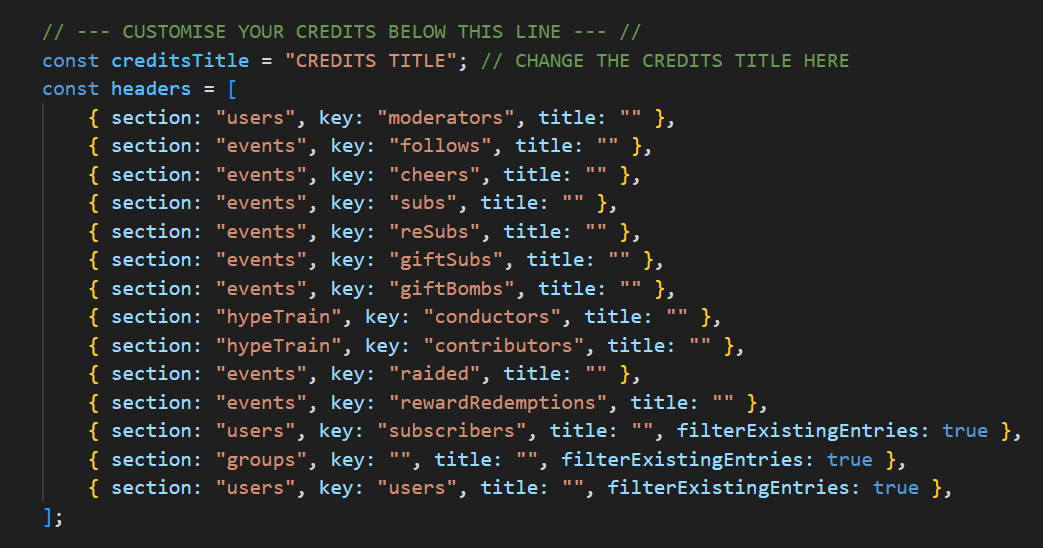
Groups must be configured in Streamer.bot beforehand.
Modify scroll speed

The scroll speed is calculated in the duration const of the script from the height of your OBS browser source. Modify the factor by which the function is multiplied to increase or decrease the scroll speed until it matches what you want.
Modify styles
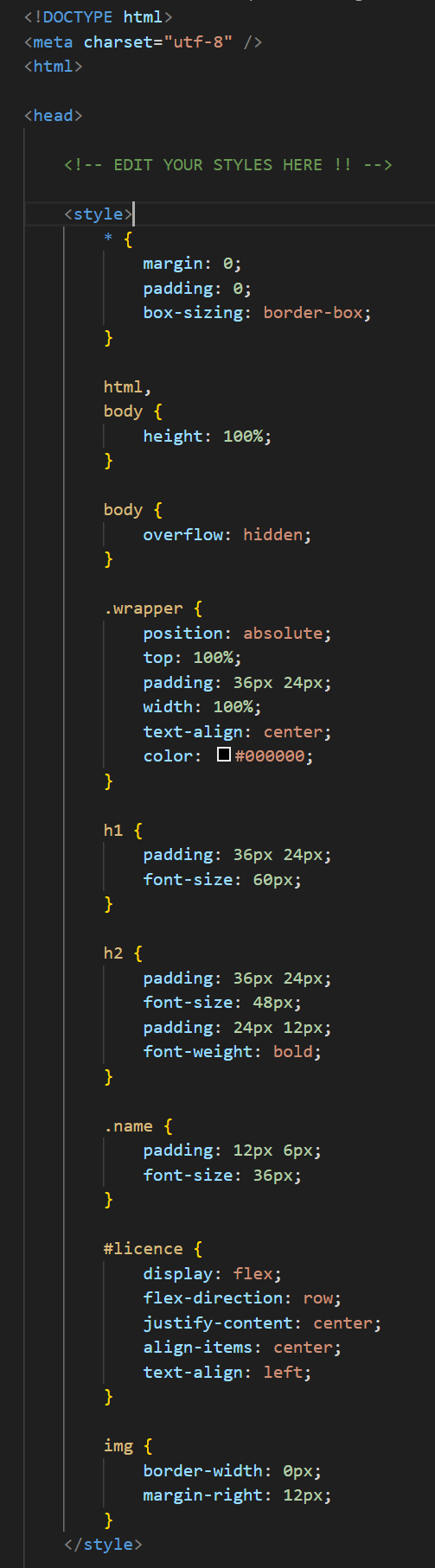
The styles of this widget have been kept very simple to allow you to modify them as you wish. CSS is included directly in the page.
| Selector | Description |
|---|---|
| .wrapper | Credits container. |
| h1 | Section titles (Events & Users Present). |
| h2 | Group titles. |
| .name | Usernames. |
| #license | This page licence information. |
Test mode
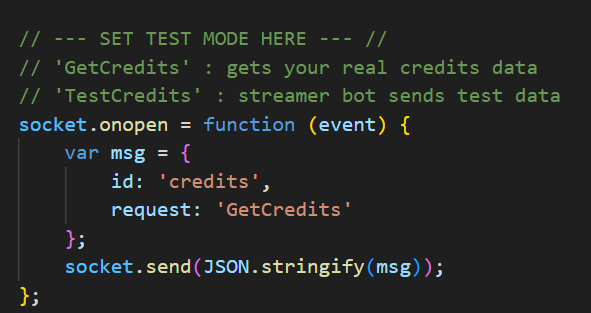
Modify the request value to enable test mode.
Use test mode to:
- Test scroll speed
- Check the layout and titles of your sections
- Check and adjust styles
GetCredits before starting your stream!Troubleshooting
Credits don't start
- Check that Streamer.bot is connected
- Consult Streamer.bot logs for errors
- Test the source directly in your browser and look at the console to see the cause of the error.
Some sections don't appear
- If no data is received for a section, it is automatically hidden. Check your streamer bot configuration.
- Check that you haven't made an error when editing the code. The value marked in "key" must be exactly the same as in streamer bot.